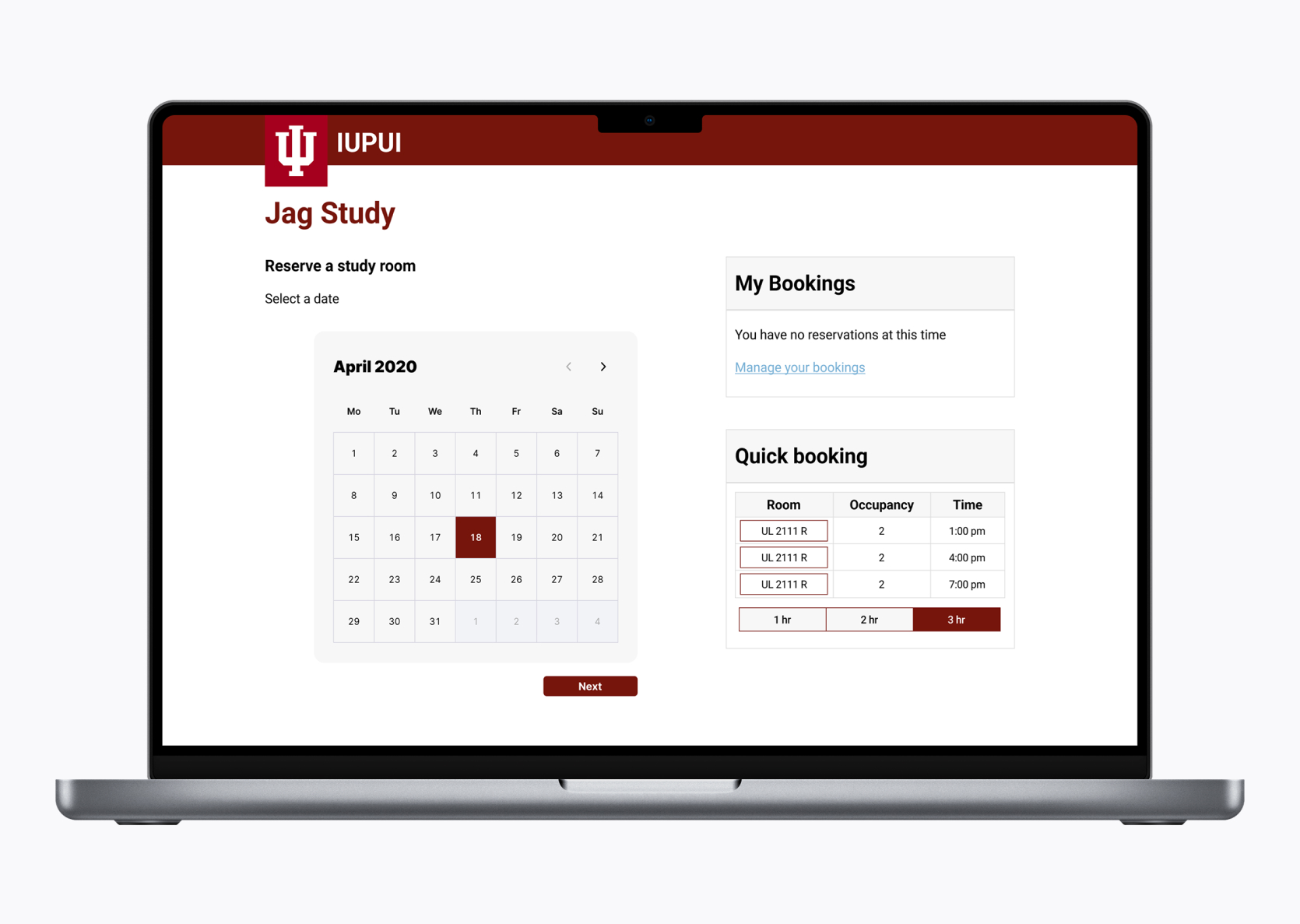
Redesigned the study room portal that helps students reserve a room.
Capstone Project
UX designer
Figma, Miro, Google Forms, Zoom
10 months
IUPUI Library's study room system ushers over 29,000 students in IUPUI campus for a while. As IUPUI prepared to onboard new students they sought to increase room efficiency and attract more students to use the tool.
After an end-to-end process UX process, we've designed the Jag study. Jag study is a website that helps IPUI students reserve study rooms.
I'm bored take me:
User Interviews/ Surveys
Affinity Mapping
Brainstorming Ideas
User Testing
Competitive Analysis
UI design
Wireframing
Prototype
Today, 95% of student either don't use the study room or don't know about this system. Those that use the system find the experience unpleasant. IUPUI wanted to improve the IUPUI reservation system to increasing room efficiency.
We gathered this information by sending out surveys to the 50 students via google forms. This was used to as an avenue to recruit students to a usability testing and interview. We observed and interviewed 6 students. After affinity mapping the results, here are the key themes we found:
Users expressed their dislike for the scrolling methods used to pick a time and date. They found that very unintuitive to scroll both horizontally and vertically.
6 out of 6 interviewees wanted more reliable, quicker way to reserve a room.
User expressed that they couldn't edit the reservation leading them to make another reservation.
5 out of 6 interviewees wanted to be able to reserve a room.
User expressed that this is the first time they used the study room system. It took them some time to understand how to use it and then book a room.
6 out of 6 interviewees wanted less time-consuming reservation.
Users mentioned having difficulties finding rooms in library after making reservation.
6 out of 6 interviewees expressed that they couldn't find the room they reserved.
After collecting user research data, we went through the process of affinity mapping to identify students' wants, needs and goals with the study room system.

After doing some contextual inquiry, we wanted to do some competitive analysis on how the other study rooms system were used. This was done in hopes we could grab some inspirations or see how we could make a design solution that will make IUPUI's study more competitive than the rest.



it seems like it was a trend among study rooms system. But this was a good exercise to scope out the market and an opportunity to make a more intuitive system.
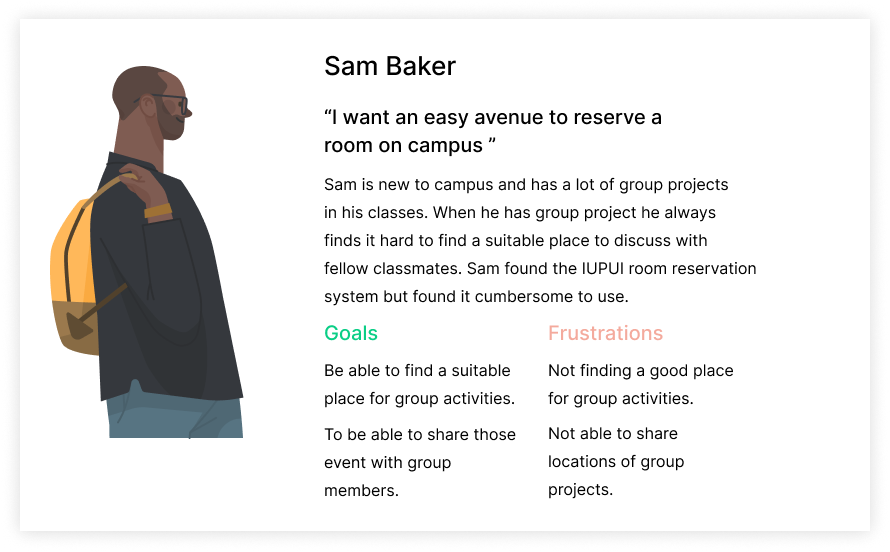
I created a fictional character, Sam whose goals, pain points, and needs aligned with the students we interviewed. I found out that students mostly used the study room system for group project and that is what we based our persona off.
Our research led us to identify key aspects of the users’ experience, making us aware of design opportunities, to display this we mapped out the users’ journey.
%201.png)
The library room reservation system required students to recall too much information from one part of the interface to another while reserving a study room. This is a problem because it made the room reservation process time-consuming, confusing, and error prone.
Based on the insights we received from our research, we formulated design questions to lead our brainstorming session. We wanted to know…
How might we simplify time and date selection for students?
How might we reduce the number of steps required to reserve a study room?
Initially, we dedicated one week to brainstorming and storyboarding, generating a pool of 50 ideas through an exercise. This process culminated in the selection of three primary new concepts, outlined as follows:
After comparing the final design concepts, the group decided to move forward with design concept 2: Booking interface for further evaluation. Concept 2 most aligned with our user research, implementation capabilities, and client goals.
Now it was time to create the wireframes, our wireframes composed of first medium then when we felt confident, I worked on the high-fidelity screens. We utilized this for actively testing our prototype with students and showing it to our client.
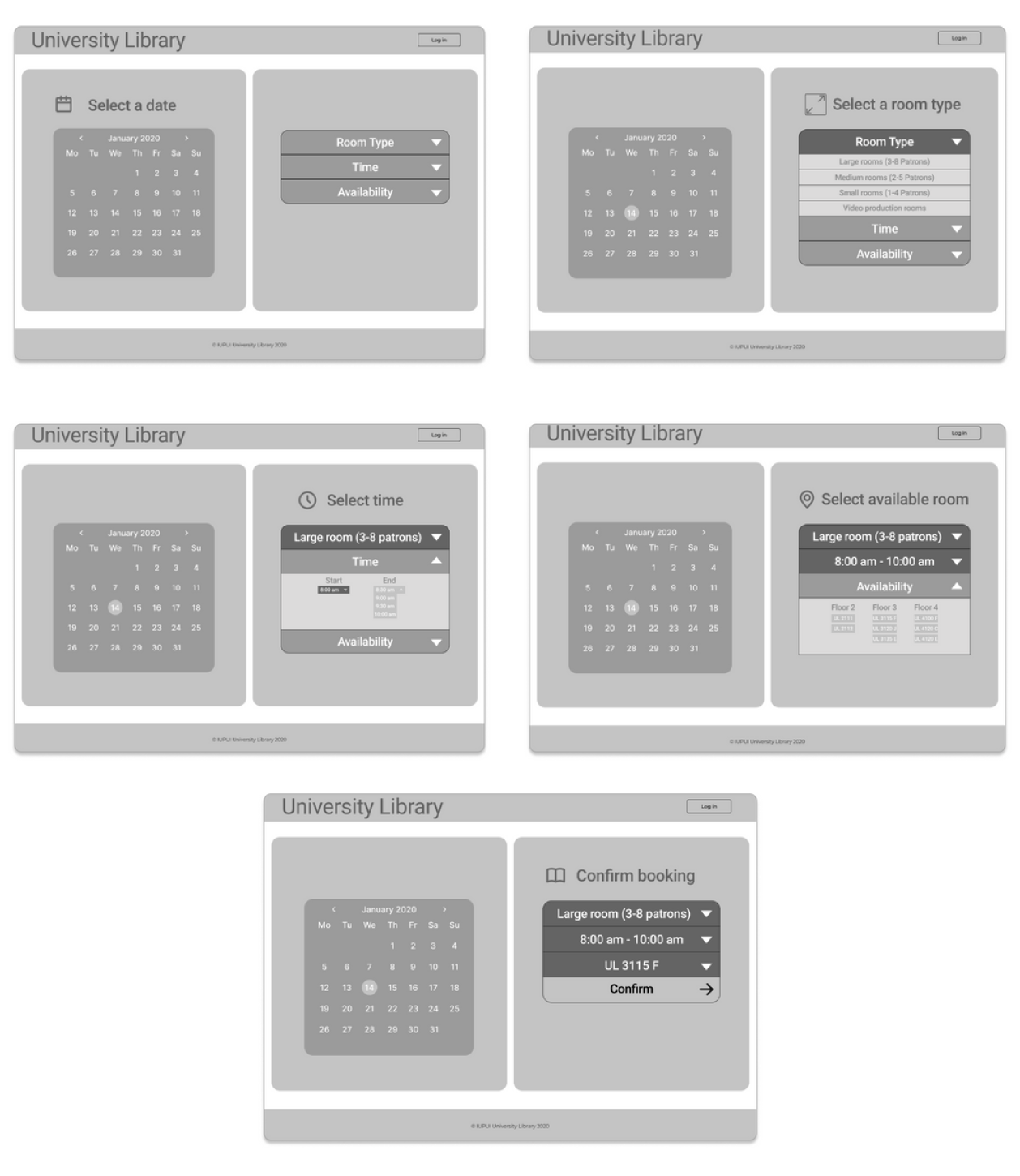
After doing the low fidelity wireframes, we made a somewhat finished product to showcase to the users of the IUPUI Reservation system.
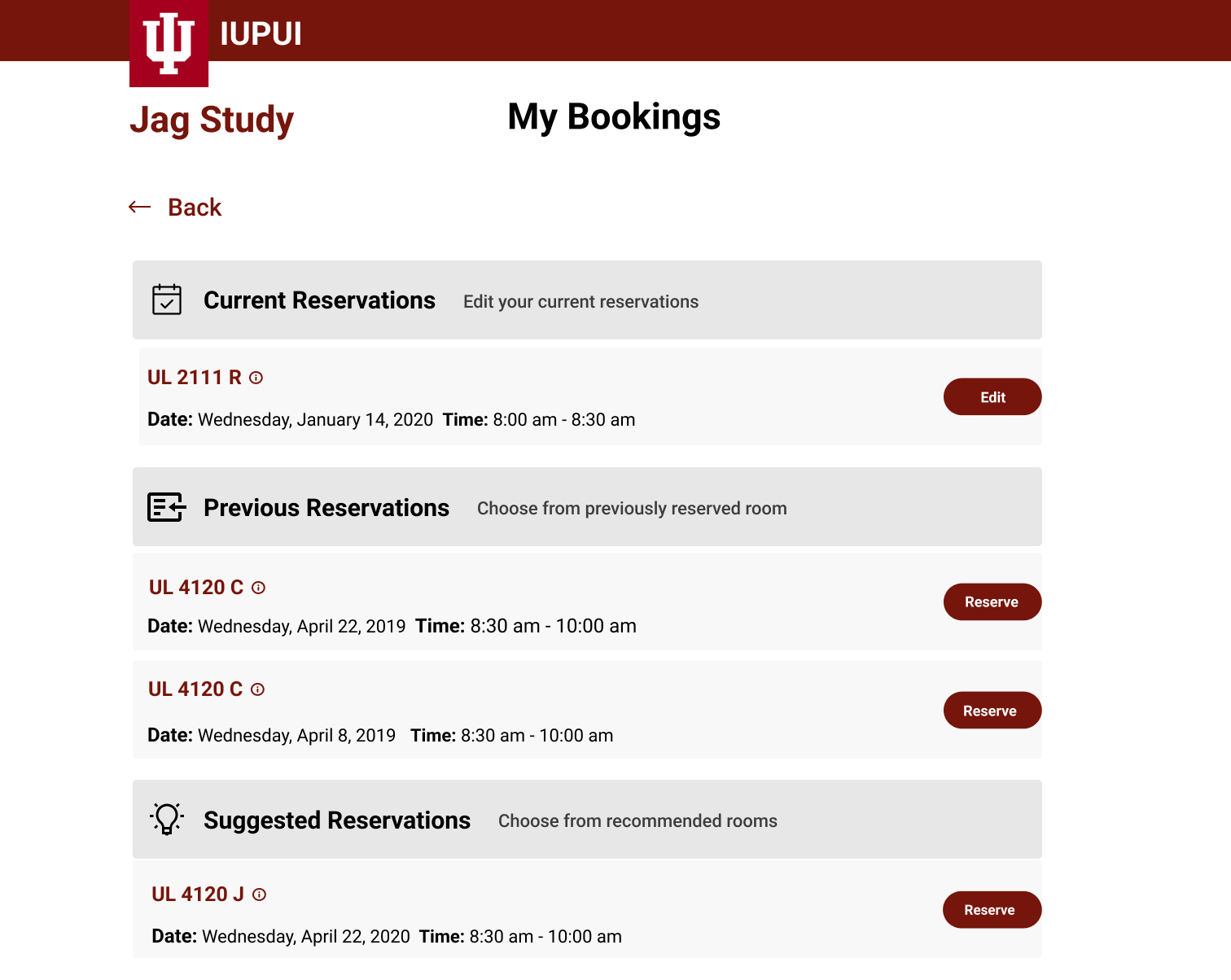
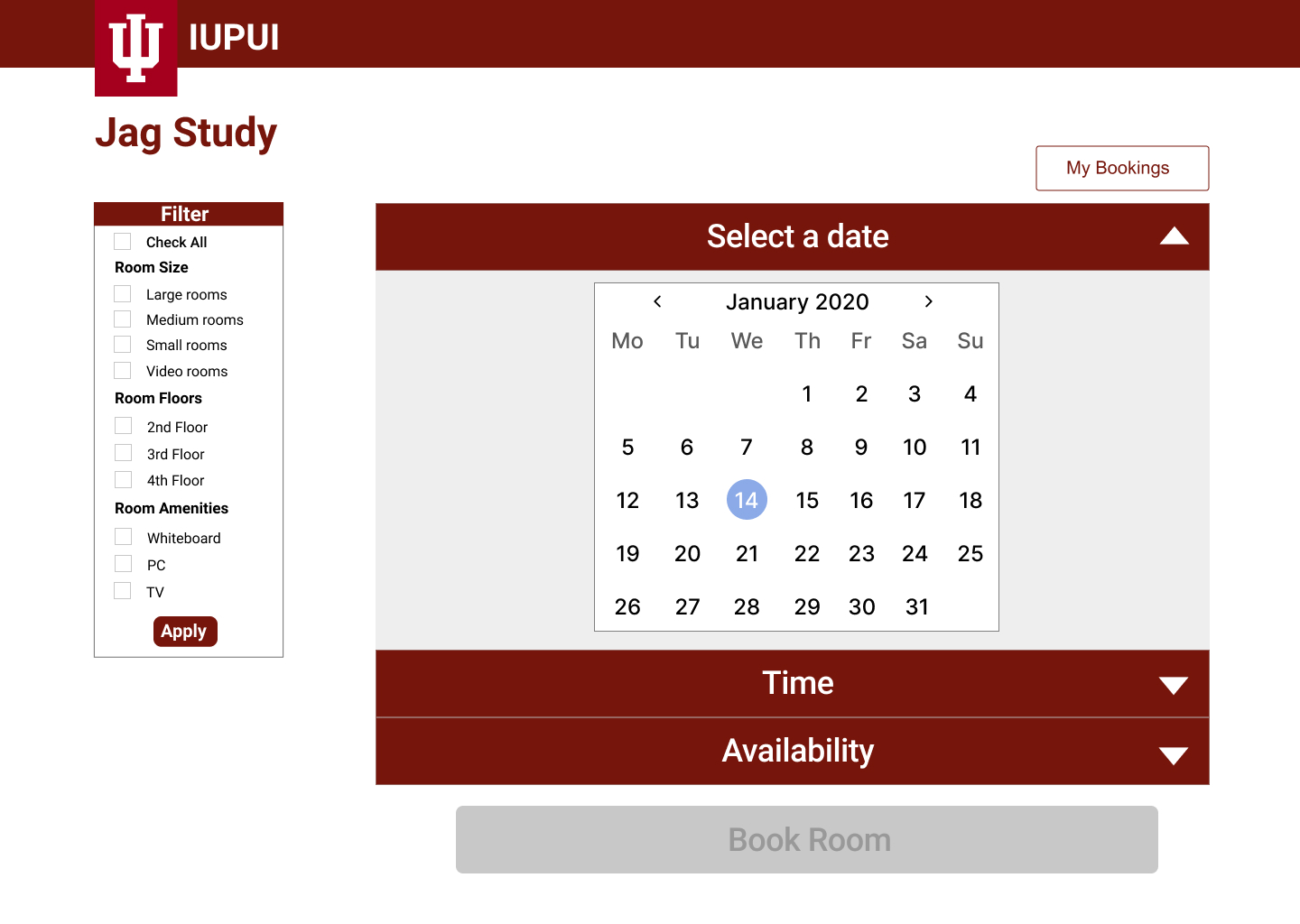
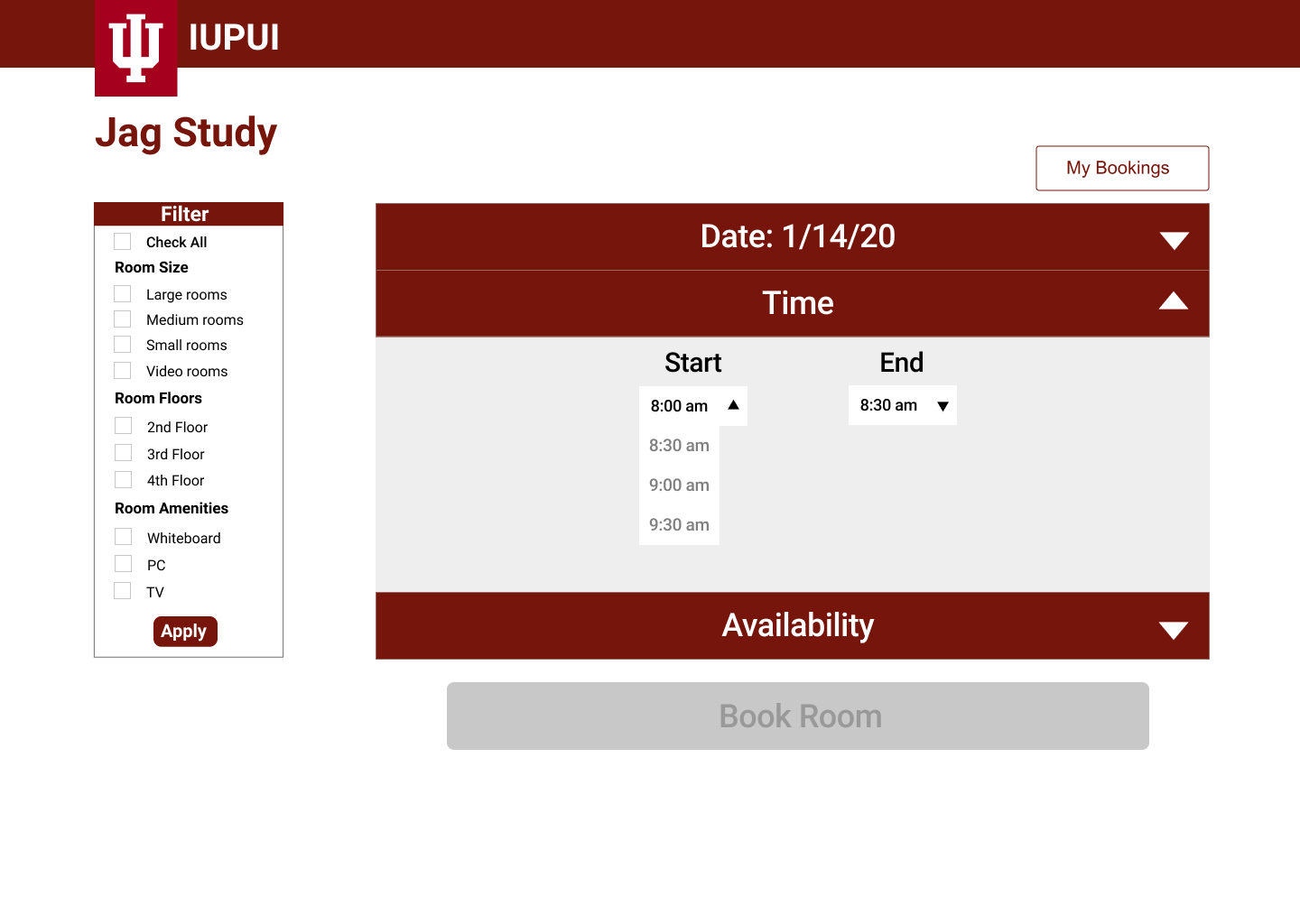
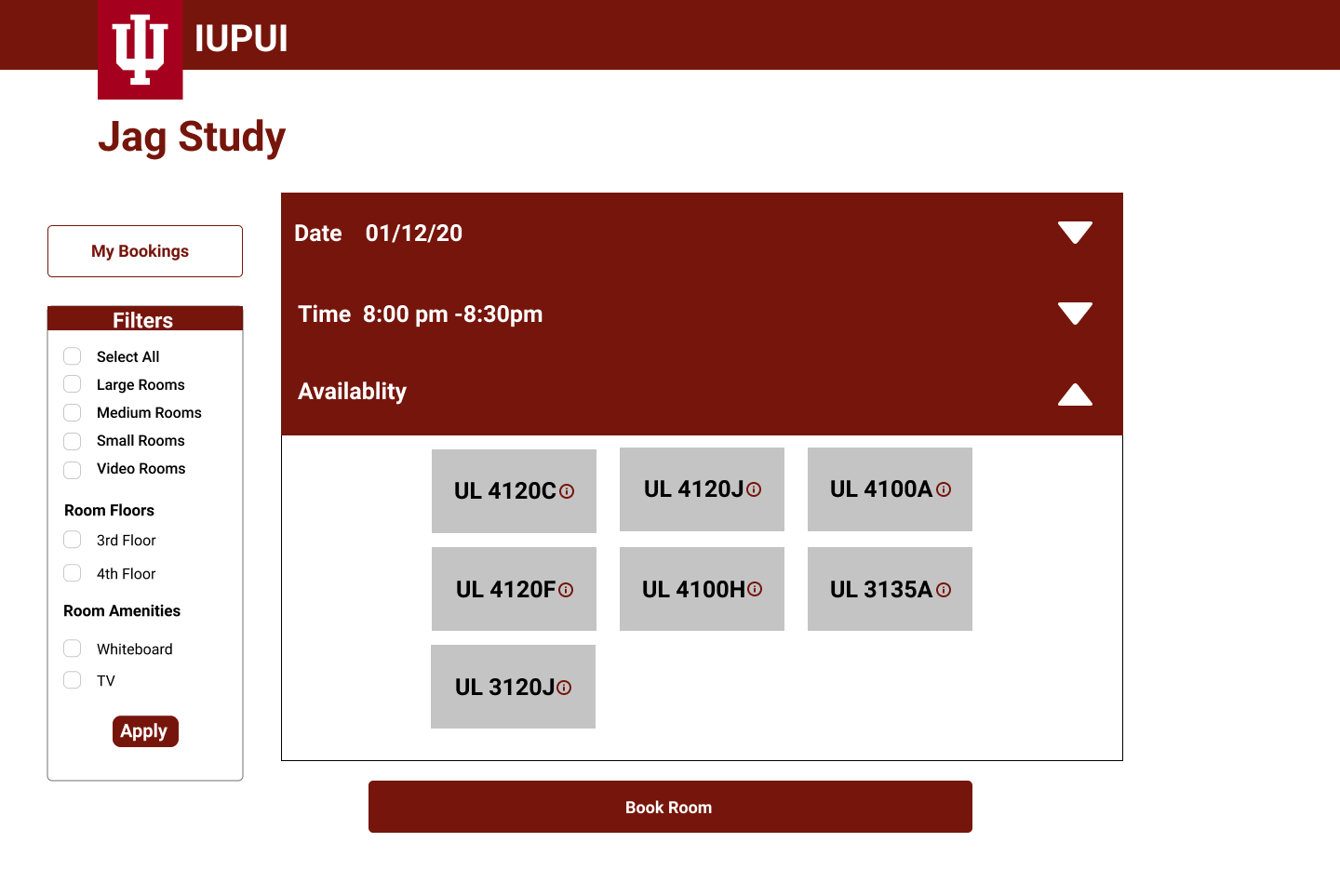
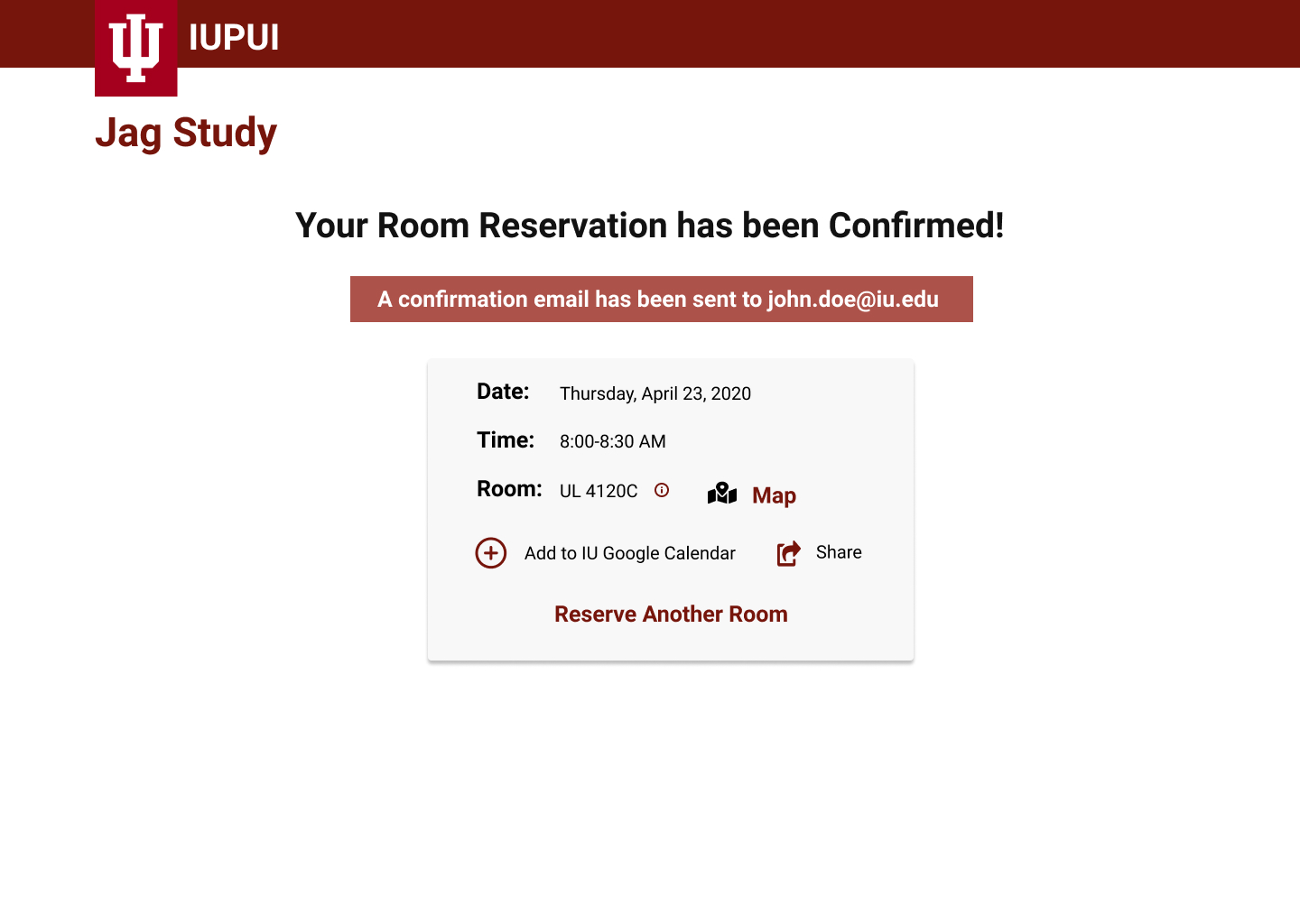
After creating the High-fidelity prototype, we wanted to get feedback from our client Gary before getting feedback from the students, his feedback was as followed:
"Looks good, but my concern is if a room isn't available, there's no way to check partial availability or when it's booked. Users might need to restart the process, impacting the user experience." - Gary
After creating the High-fidelity prototypes, we began working on the usability testing. Six users participated in our usability testing sessions. We did our testing using a moderated testing protocol in which we created three tasks for the user to do and performed a think-aloud with the users. We then asked the participants to complete a post-task questionnaire to understand their experience. Here are the major three insight from the user testing I found:
Majority of the participants continued to have issues with navigating back and forth through the reservation system, it was recommended to add a next and previous button
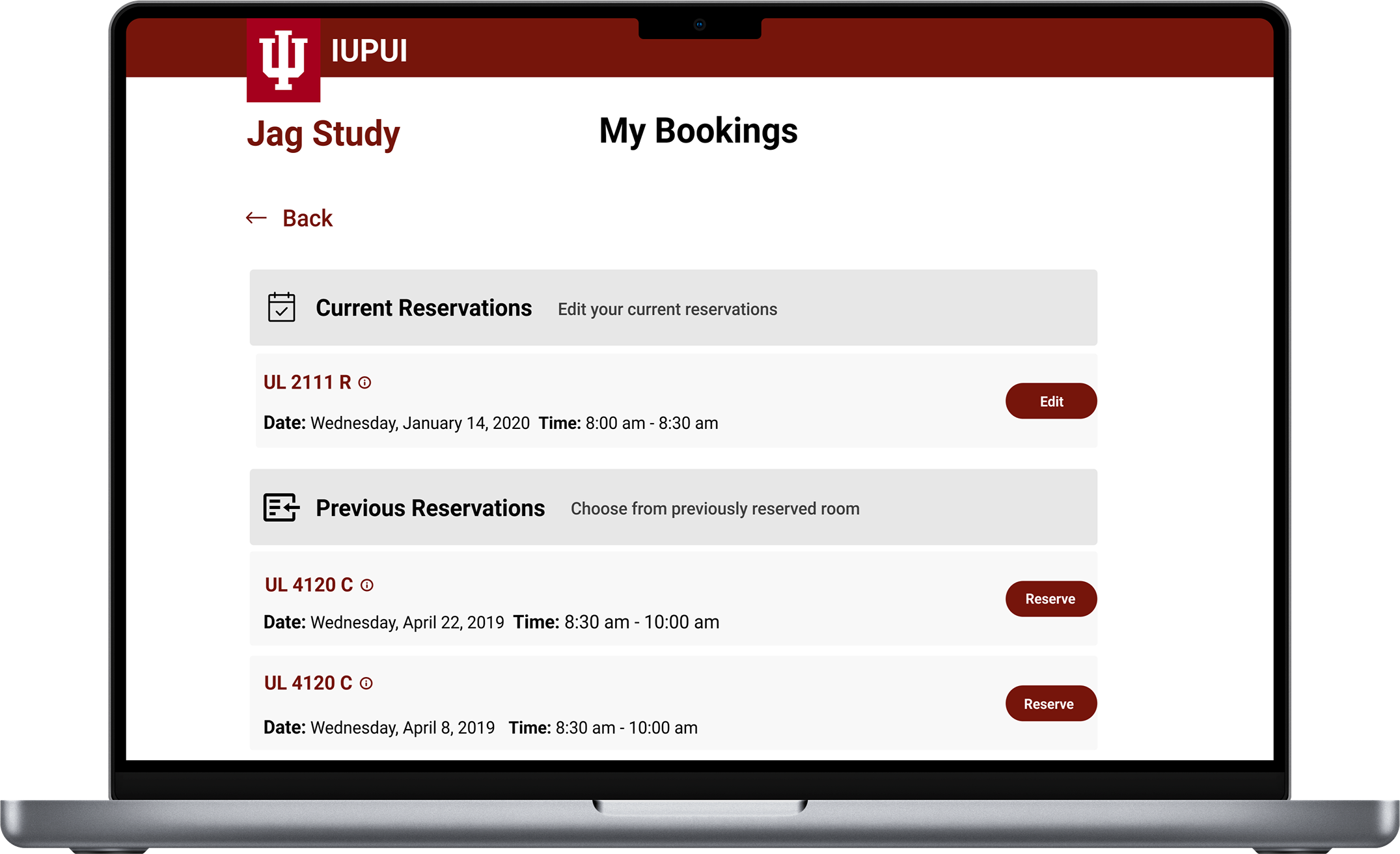
Majority of the participants mentioned that the addition of "my bookings" made reserving a study room faster
Half of the participants struggled with locating the "my booking" button
All participants of the usability test mentioned the prototype being easier to use compared to the previous system
Majority of the participants felt that the filters were a distraction to them and hindrance to them find the "my booking" button.
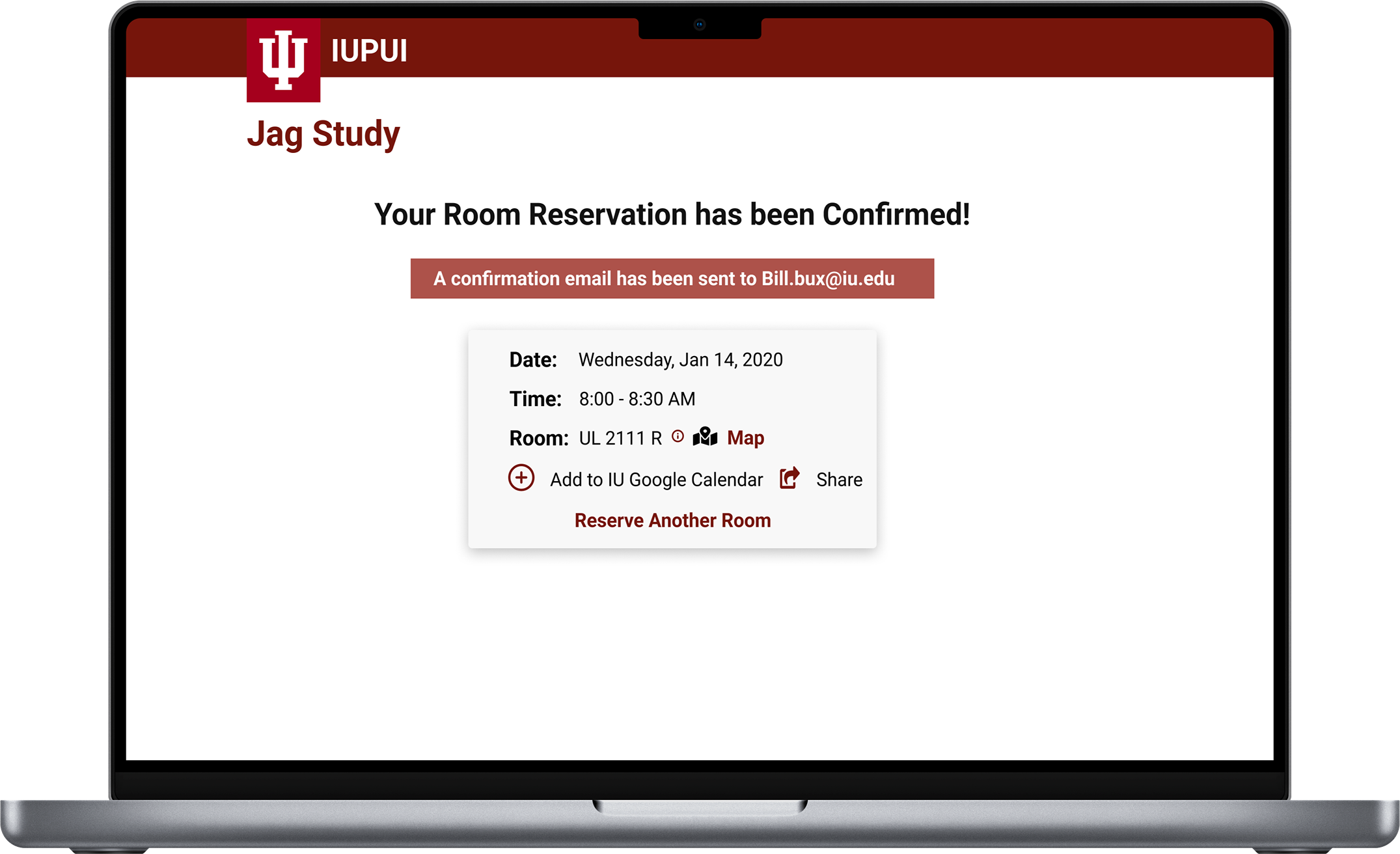
After finishing that round of testing and making the recommended changes we submitted the final design to our client Gary. Here is the final designs:
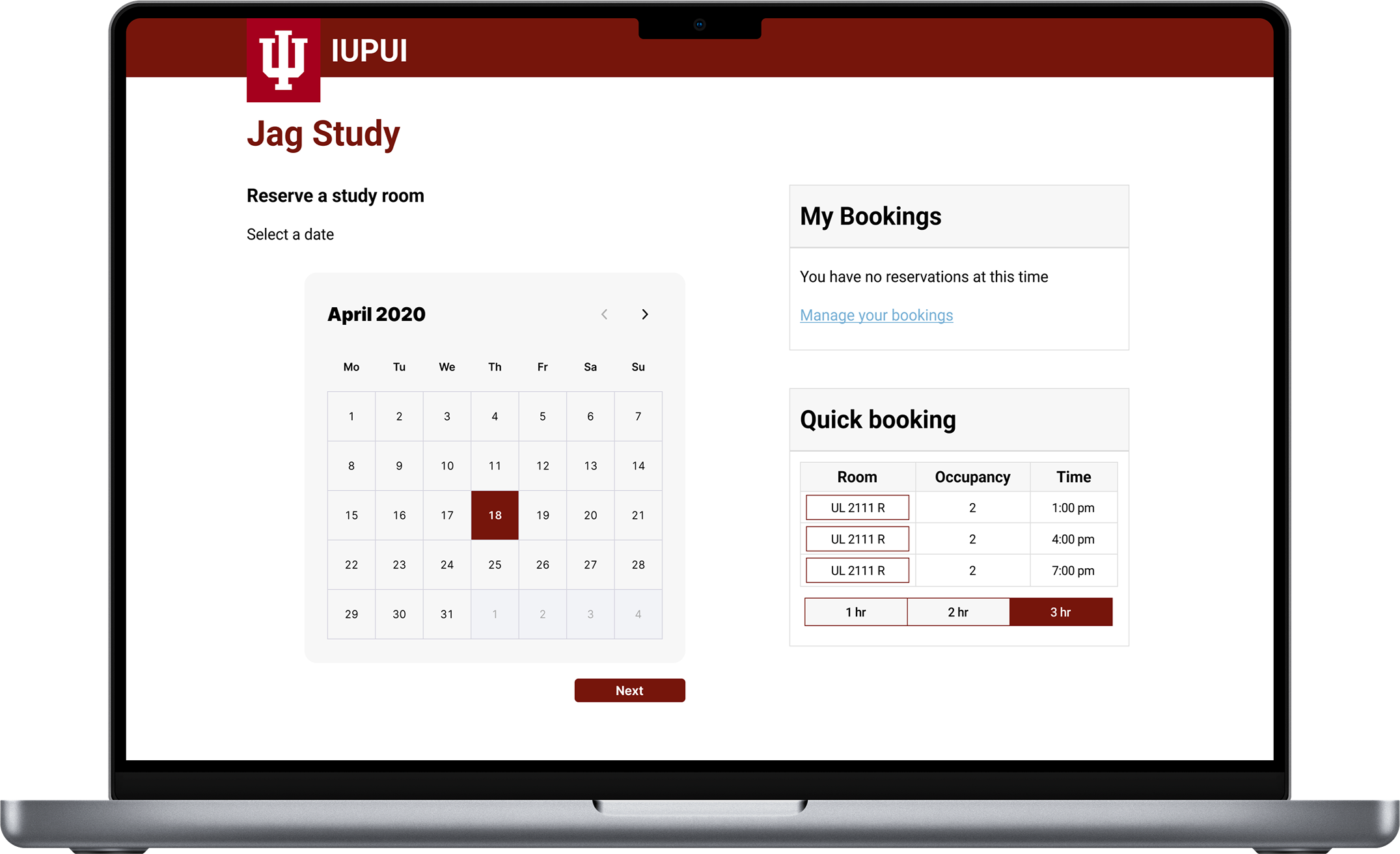
This page allows a user to select a specific time frame that the user will want to reserve a room for either group projects or individual study. The user can then click to check for availability.
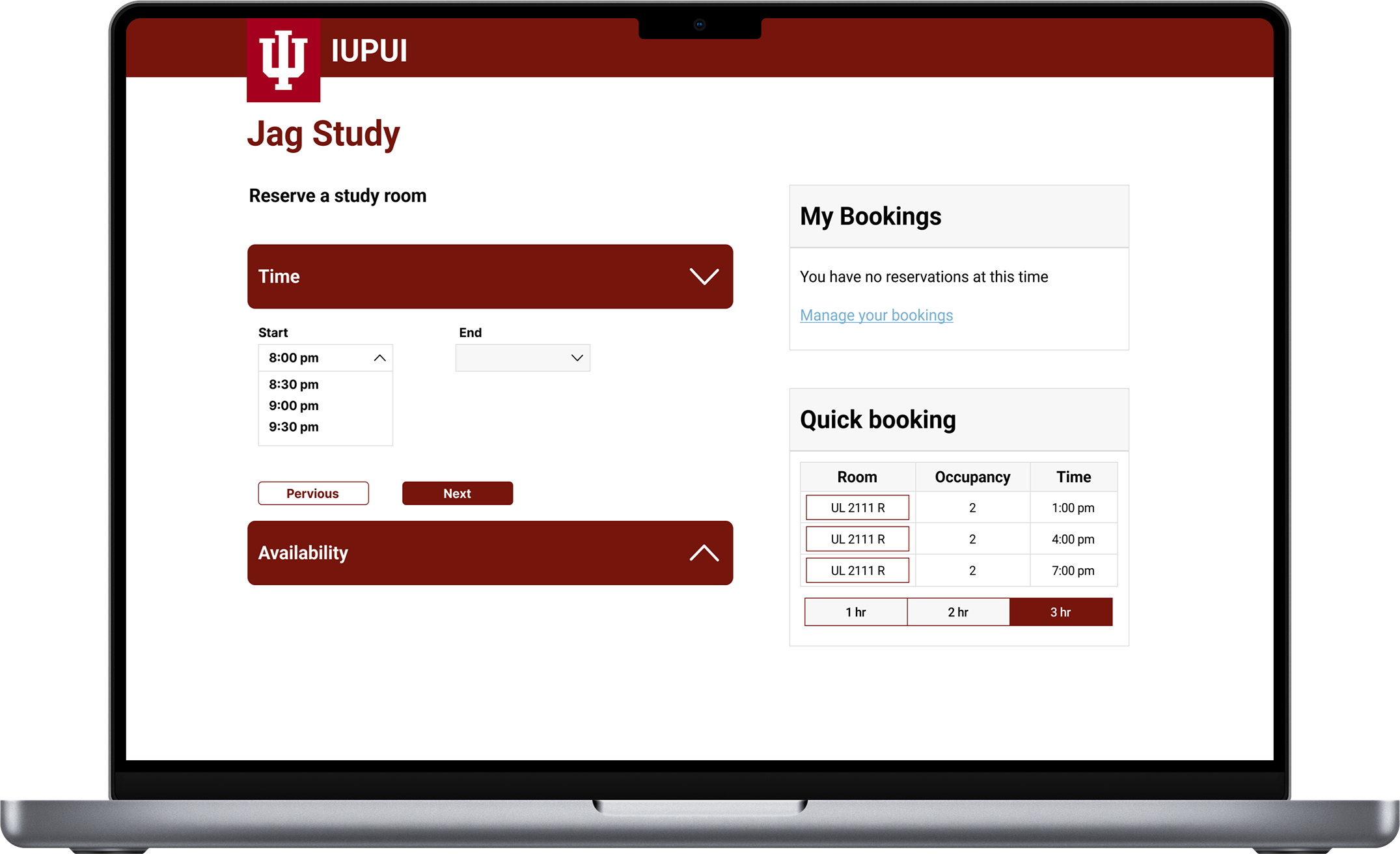
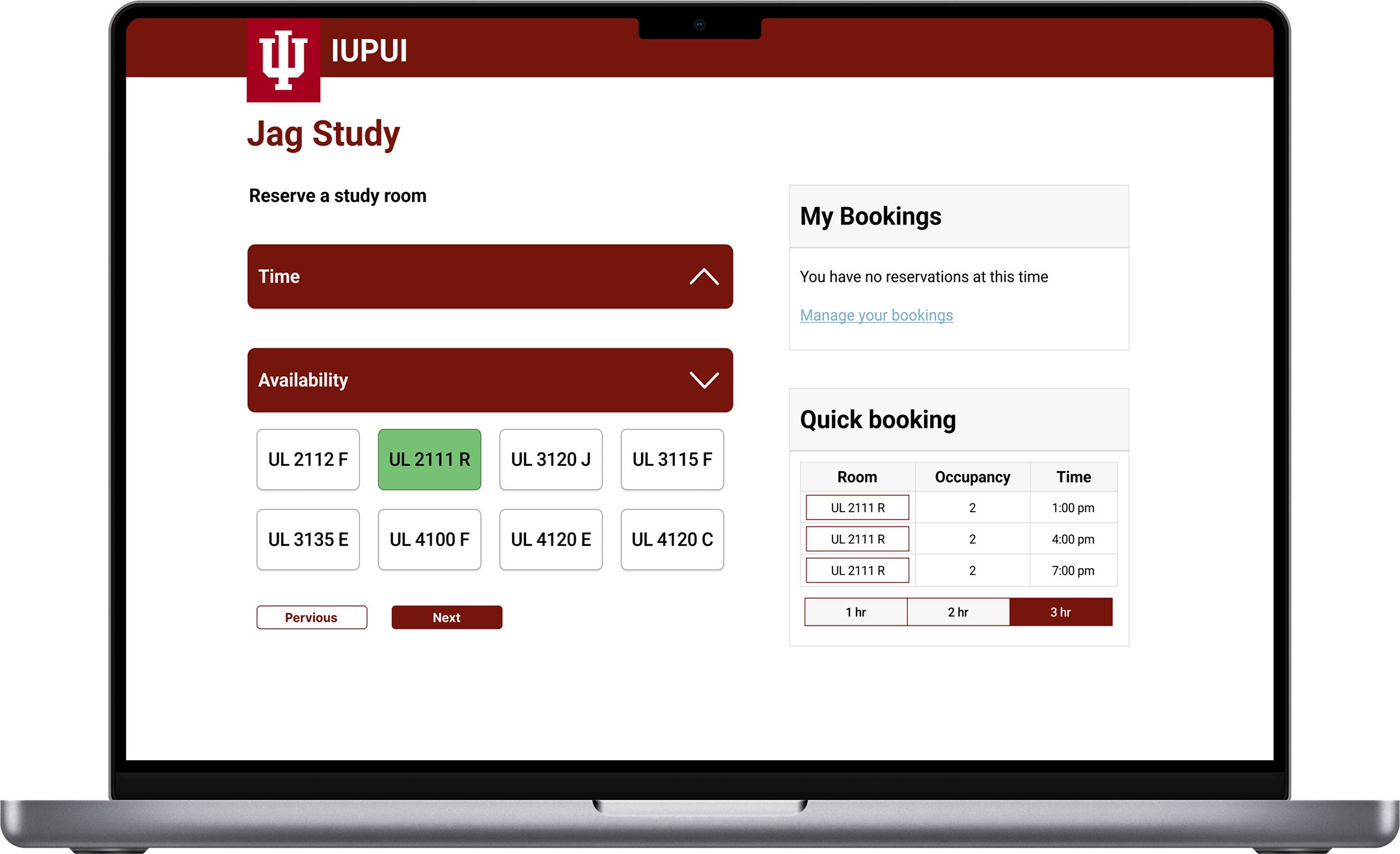
Here is the live interactive prototype that I created using Figma. The video captures the key user flow of our solution.
.gif)
I learnt how to properly collaborate with other designers in a project and the importance of properly communicating with your team member on any problem that the project might be facing.
While working on the user testing, we got some advice from our professor that "look at what the user is doing rather than what they are saying to you" with this advice we were able to undercover a vital problem with our first high fi prototype.
While working in collaboration with the user Experience designer librarian I was afraid of asking question on the system itself at first, but I got the encouragement from my team member to do so, and we were able to understand so much about the IUPUI Libcal system and it really helped us remember the constraint we might have for the designs.
After handing off our research and the final design of Jag study the project entered the development phase. The site was later launched in 2021 🥳 here is the link to the site if you are an IUPUI Alumni: Study Room Reservations (iupui.edu)